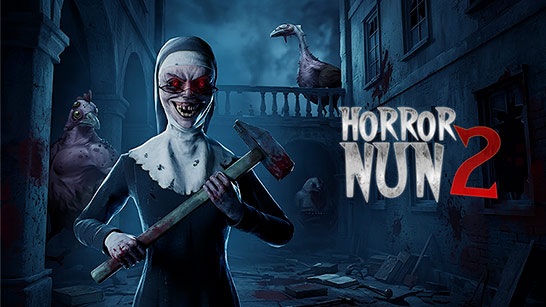
Horror Nun 2 transports you to a mysterious, gloomy school haunted by a terrifying demon nun. Every corridor, room, or sudden noise could signal lurking danger.
The letter that appears right before the game begins serves as a small piece of the story's puzzle. Rather than explaining the full situation, it introduces players to a school with a dark past and haunting rules.
Information about James Thomas, combined with a warning about punishment, casts suspicion on Eagle's Junior School from the very first moments. Once inside the game, players must uncover further clues by examining their surroundings, rooms, and the items they encounter during their exploration.
These three levels cater to different experiences, ranging from getting familiar with the environment to testing your survival skills.
| Game Mode | What to Expect |
|---|---|
| Easy | A more forgiving experience for players who want to explore the school, learn the environment, and become familiar with the game's mechanics without facing the highest level of pressure. |
| Normal | A balanced challenge that combines exploration, puzzle solving, and survival. Stay alert, search carefully, and think about your next move while navigating the school. |
| Hard | A more intense survival experience for players looking for greater tension. Careful movement, observation, and quick decisions become increasingly important as you explore the school. |
In Horror Nun 2, you control your character from a first-person perspective, directly exploring the school's corridors, rooms, and mysterious areas. The simple control scheme makes it easy to move, look around, and interact with objects as you search for a way to escape.
Getting accustomed to the first-person perspective is particularly important, as you need to constantly observe what lies ahead, to the sides, and behind you in order to spot dangers or find necessary clues.
If you enjoy the dark atmosphere and terrifying encounters in Horror Nun 2, you can also try Red Face Horror for another chilling horror experience.